GWC App Installation Instructions
Welcome to our new church communication tool, FellowshipOne Go or F1Go. Complete the following steps to get started and connected.
Step 1: Login to your Greater Wilmington Church Member Account.
• Click here to access login screen.
• Enter your unique username and password. Email Jeff (jeff@greaterwilmingtonchurch.org) to obtain these.
• Update your password in the My Info / Account section to something you will remember and click Save.
• If you have a SmartPhone continue with Step 2 below.
• If you do NOT have a SmartPhone skip to Step 3.
Step 2: Download the Church by Ministry One App.
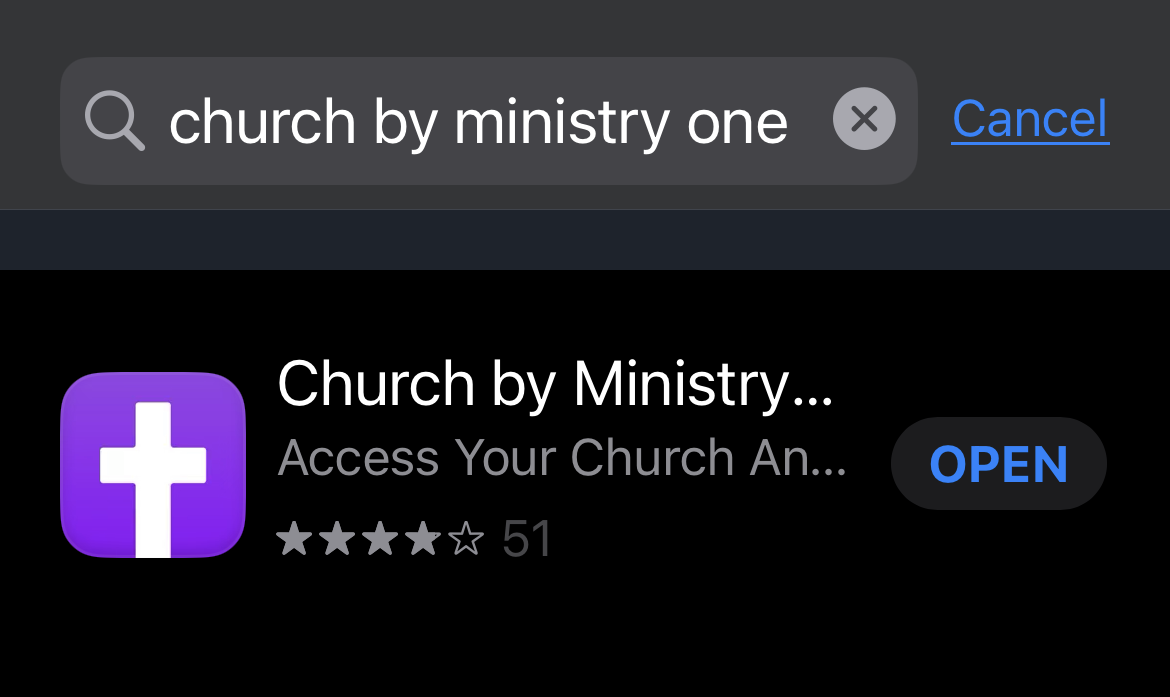
• Using either Apple Store for iPhones or Google Play for Androids, search for "Church by Ministry One" (see image below)
• Click to download.
• Enter Greater Wilmington Church in the Find Your Church field.
• Select this church.
• Use your email address and phone number (must match what is in the database to login; if not correct, return to Step 1 and make corrections).
• Once logged in, verify and/or complete each field in your account, i.e. birthdate.
• Set up your weekly contribution by clicking on the Giving icon and follow onscreen instructions.
• Click on Events to register and/or pay for any church events.
• Click on the Calendar to see what's happening.
• Click on other icons to explore useful options.
• Hey, use the Contact Us form and let us know you got logged in okay.
• For more detailed instructions on how to log into and use your new member account and mobile app, click here.
Step 3: Setup for those without a Smart Phone
• Once logged in, click on My Info and verify and/or complete each field in your account (i.e. many birthdays need the year corrected as only the month and day was available at the time of upload).
◦ Click the pencil in the top right to edit personal information
◦ Click Account tab to update password
• Set up your weekly contribution by clicking on the Nine Cube menu icon in the top right corner, then clicking Give Now and follow onscreen instructions.
• Click on Calendar to see what is happening.
• To register for an event: search by date for the church event, click on the event calendar entry to see details, click the Register Now button to register and/or pay for the event.
• For more detailed instructions on how to log into and use your new member account, click here.
If you need help, contact us.